.jpg)
.jpg)
.jpg)

.jpg)
.jpg)
.jpg)
.jpeg)
.png)
.png)
.png)
.png)
.png)
.jpeg)
.jpeg)
.jpg)
%2520(1).png)


.avif)


.png)
.png)




.png)
![Agent Server [1/3]: Where Enterprise AI Agents Live, Work, and Scale](https://cdn.prod.website-files.com/67bef0c56c3781a827a0f375/69c14b6f967d2ae5279adcea_690e4d0f068d3ec27aea7ae0_123%2520(1).png)
![Agent Server [2/3]: Where Should Your Agent Server Run?](https://cdn.prod.website-files.com/67bef0c56c3781a827a0f375/69c14b6f967d2ae5279adcf0_690e646b6e0366d090fbc37f_wdxczxgr-1.png)
![Agent Server [3/3]: Agent Access Control Explained: RBAC, Caller Limits, and Safer A2A](https://cdn.prod.website-files.com/67bef0c56c3781a827a0f375/69c14b56c87a1735a82bac8d_69132a45740300abc320bc7f_Cover_%2520RBAC%2520for%2520Agents%252C%2520Done%2520Right2%2520(1).png)
.png)
.jpeg)
.png)
%25201%2520(1).jpeg)

%25201%2520(1).jpeg)
.jpg)
.jpeg)
August 12, 2026
Why AI Agents are Replacing Traditional Data Engineering
.jpg)

TL;DR: Most data teams do the same complex work over and over, slightly differently each time. Genesis Blueprints solve that by letting you encode your team's exact process with exit criteria at each phase. Agents follow the Blueprint, check their own work, and hand off to humans for QA before moving on. The result is consistent output every time, without rebuilding the process from scratch on each run.
There is a specific kind of pain that data engineering teams know well: you figured out the right way to do something once, under pressure, and then you have to remember how you did it the next time the same task comes around.
Source-to-target mapping is the clearest example. Every migration engagement involves the same core steps: inventory the source schema, map fields to the target, document the transformation logic, validate the output, hand it off for review. Teams develop intuition for this work. They have opinions about how it should be sequenced, but that knowledge lives in people, not in the process itself. When the volume goes up, or when someone new joins the team, the process degrades.
Genesis Blueprints address this directly.
A Blueprint is a defined sequence of phases that agents follow from start to finish. Once a Blueprint exists, you can apply it to the same class of task repeatedly, with the same structure and the same guardrails.
The idea is not to automate judgment out of the process. It is to make sure the process itself does not have to be reconstructed every time someone runs it.
Language models are probabilistic by design. Given the same prompt, they can produce meaningfully different outputs on different runs. For most use cases, that range of variation is acceptable. For data engineering work, it often is not.
Source-to-target mapping needs to be consistent. A bronze layer data pipeline for assets under management needs to follow the same field logic every time it is built, not a close approximation. The New Stack's recent coverage of data engineering in 2026 noted that the shift toward agent-driven workflows hinges on teams being able to trust the output, which means the underlying process needs structure that a bare language model prompt cannot provide on its own.
Blueprints layer that structure on top of the model. The agent does not generate a process from scratch each time. It follows the defined phases, checks the defined exit criteria, and only proceeds when those criteria are met.
A Blueprint in Genesis is a set of phases. Each phase has:
That last point matters more than it might seem. Each phase in a Blueprint does not start fresh, it receives everything generated in the phase before it. The agent is not working from memory or inference, it’s working from a structured record of what was actually done.
For source-to-target mapping, a phase-zero output might include an inventory of the source schema, a list of field candidates, and an initial mapping recommendation. Phase one picks up that document and begins the transformation logic. Phase two runs validation against it. By the time the process completes, there is a full audit trail of what was decided at each step and why.
This is how Genesis approaches the problem that context management in long-running agents introduces: by making context explicit and structured at every handoff point, rather than relying on the model's own continuity.
One of the more important design decisions in Blueprints is the human-in-the-loop checkpoint between phases. Before the agent proceeds from one phase to the next, it surfaces what it has produced and asks for confirmation to continue. The engineer reviews the artifacts, validates the output, and either approves the next phase or provides corrections.
This is not a UX convenience, it’s a guardrail. The human is the QA function. The agent does the work, but a person has to confirm it before the process moves forward.
In a financial services context, this matters for compliance as much as for accuracy. You want to be able to show that a qualified person reviewed the mapping output at each stage before the next transformation ran. Blueprints generate exactly that audit trail. The completed mission log includes every artifact, transition, agent turns, model used, token counts and estimated cost, bundled into an audit report that can be downloaded at the end.
For teams starting to think about what agentic data engineering actually requires at an enterprise level, that auditability is what separates a proof of concept from something that can run in production.
One run of a source-to-target mapping Blueprint is useful. What makes Blueprints change how a team works is how it applies across all mappings the team needs.
Genesis ships with a library of pre-built Blueprints covering common data engineering workflows: source-to-target mapping, dbt pipeline generation, schema builds, and others. Teams can also create their own. If your organization has a specific way it handles bronze-to-silver transformation, you encode that once. From that point, running the process means selecting the Blueprint, naming the mission, and letting it run.
This is precisely what makes the combination of Blueprints and missions work as a system, as covered in From Requirements to Production Pipelines With Genesis Missions. The Blueprint defines the what and the how, the mission is the execution.
When a Blueprint-driven mission completes, you have several things:
The DVR-style replay feature in Genesis deserves mention here, too. After a mission runs, you can replay it at variable speed, phase by phase, and see exactly what the agent did at each step. For teams building confidence in agent-driven workflows, being able to audit the process is a meaningful capability.
For teams already using Genesis for pipeline automation, the same context graph that powers data flow visibility is what feeds each Blueprint phase with the information it needs to produce consistent output.
Blueprints are one piece of how Genesis approaches the core challenge of enterprise data engineering: tasks that are too complex and context-dependent to fully automate, but too repetitive and manual to leave entirely in human hands.
The model is straightforward: agents handle the execution work; humans handle judgment, validation, and approval. Blueprints provide the structure that makes the handoffs between those two work consistently.
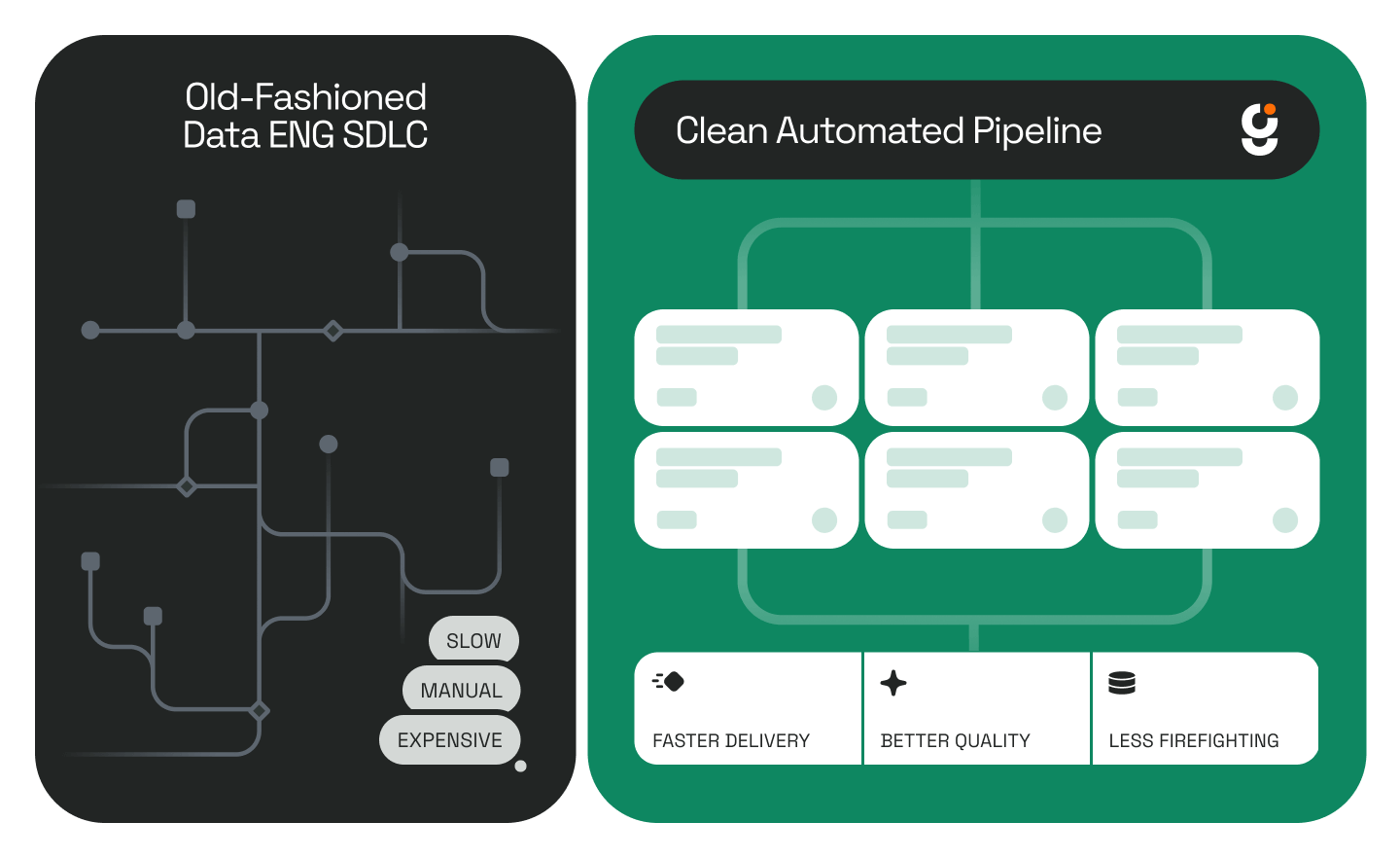
For teams managing high volumes of migrations, pipeline builds, or schema mapping work, the practical effect is that the process no longer degrades as volume increases or as team composition changes. The Blueprint is the process, and it runs the same way every time.
What is a Genesis Blueprint? A Blueprint is a predefined sequence of phases, actions, and exit criteria that Genesis agents follow when running a data engineering task. It ensures the same process is applied consistently across every run.
Can I create my own Blueprints in Genesis? Yes. Genesis includes a library of pre-built Blueprints, and teams can build custom ones that reflect how their organization approaches specific workflows.
Does a Blueprint run without human input? No. After each phase, Genesis surfaces the artifacts produced and asks a human to confirm before proceeding. The human serves as the QA checkpoint at every stage.
What is included in the mission audit report? The audit report contains phase-by-phase artifacts, the full agent work log, thread cost, token counts (input, output, cached, and uncached), the model used, and a downloadable summary.
Can Blueprints be reused across different datasets or tiers? Yes. A source-to-target mapping Blueprint, for example, can be applied to bronze, silver, or gold layer work, or to any dataset the team needs to map.
.jpg)

.jpg)
.jpg)