

.jpg)

.jpg)
August 20, 2026
Coolest Vendor Innovations in Data Management
.png)
.jpg)

TL;DR: Most data agents fail in production not because they can't code, but because they don't know how to work. They skip ambiguity checks, pick the wrong source tables, and build confidently in the wrong direction. At Genesis, we solve this with Blueprints: structured, repeatable methodologies that guide agents through multi-stage data tasks the same way an experienced engineer would — clarifying, validating, pausing for human input, and only then generating code. Once a team runs a Blueprint a few times, it becomes their own versioned artifact in Git. This post is Part 1 of a three-part series. Parts 2 and 3 cover Context Management and Progressive Tool Use.
I'm Justin Langseth, CTO at Genesis, and I've spent most of my career building data systems — from large-scale analytics platforms to agents that can actually reason about data.
Over the past 2 years, my team and I have been working on what we call data agents: autonomous systems that can build, fix, and extend data pipelines on their own.
From the outside, that sounds simple — connect a language model to a few APIs and let it run. But the hard problems appear once you try to make those agents operate for hours, stay coherent, and integrate with real enterprise stacks.
The issues we've faced; context overload, tool sprawl, forgotten state, are universal to anyone working with agentic systems. I started writing this series to show what happens behind the scenes: how we structure agent workflows through blueprints, manage their memory so they can think clearly, and regulate tool use so they don't drown in complexity. These are lessons learned the hard way, and I'm sharing them because every data engineering team will face the same obstacles eventually — we just happened to get there first.
This is the first post in a three-part series about how we're making agentic systems actually work at Genesis. The next two will cover Context Management and Progressive Tool Use. But none of that makes sense until you understand what a Blueprint is.
When people first see a data agent run, the first reaction is, "Wow, it can code." That's true, but it can also code the wrong thing, very confidently.
Ask a model to build a reporting table and it will give you something plausible. The problem is, it doesn't know how the work gets done. It doesn't understand the order of operations, where ambiguity hides, when to pause, or when to check with a human.
Experienced data engineers do all that instinctively. They follow a quiet, repeatable process. So our question became: how do we give an agent that same sense of procedure?
A Blueprint is our answer. It's not a prompt template or a script; it's a living methodology that tells an agent how to move through a multi-stage task.
Think of it like the binder every data team wishes they had: When someone asks for a new dashboard, here's how we handle it. Step 1 — clarify the metric. Step 2 — look for candidate tables. Step 3 — check lineage. Step 4 — get sign-off before coding.
Except in our case, the binder isn't for people — it's for agents. The Blueprint sits behind the agent's reasoning loop and defines what happens at each phase: what information it needs, which tools are relevant, what questions to ask, and what triggers a pause.
You can see Blueprints in action in our Genesis Walkthrough #3: Using a Blueprint to Launch a Mission.
Let's take something every data team does and every language model struggles with: building a sales report.
A human data engineer hears "sales" and immediately starts unpacking it. Does this mean gross? Net? Adjusted? Is it by order date or invoice date? They know there are probably a dozen candidate tables across Snowflake, Databricks, maybe some legacy warehouse, all shaped a little differently.
A model doesn't know any of that. It grabs the first thing called sales_data and starts writing SQL.
.png)
In our Field Mapping Blueprint, the agent follows a defined flow that mirrors how engineers actually think:
At any step, the agent can stop and wait for humans, minutes or days, before continuing. That's deliberate. It's the digital version of a mid-level engineer walking over to someone's desk to double-check before building the wrong thing.
Each Blueprint covers one repeatable process: mapping, pipeline build, failure analysis, QA. When we deliver them, they work out of the box. But the real value starts once a customer runs them a few times.
We call this the safety-driving phase. The agent runs the Blueprint while a human watches and occasionally grabs the wheel — adding notes, clarifying edge cases, maybe rewriting a step or two. After a few drives, the agent has captured enough local knowledge to fork the Blueprint into that company's own version.
That fork becomes a living artifact: the company's data-engineering methodology rendered in code and versioned in Git. It's their intellectual property now, the way they build things, distilled into a repeatable sequence both humans and agents can follow.
For teams already doing this kind of work manually, read our post on The Evolution of Data Work: Introducing Agentic Data Engineering for the bigger picture on how we think about this shift.
Agents are powerful but forgetful. They lose context fast. Blueprints provide the skeleton the rest of the system hangs on. Context Management (which I cover in Part 2) keeps their memory clean; Blueprints tell them what to remember and when it matters.
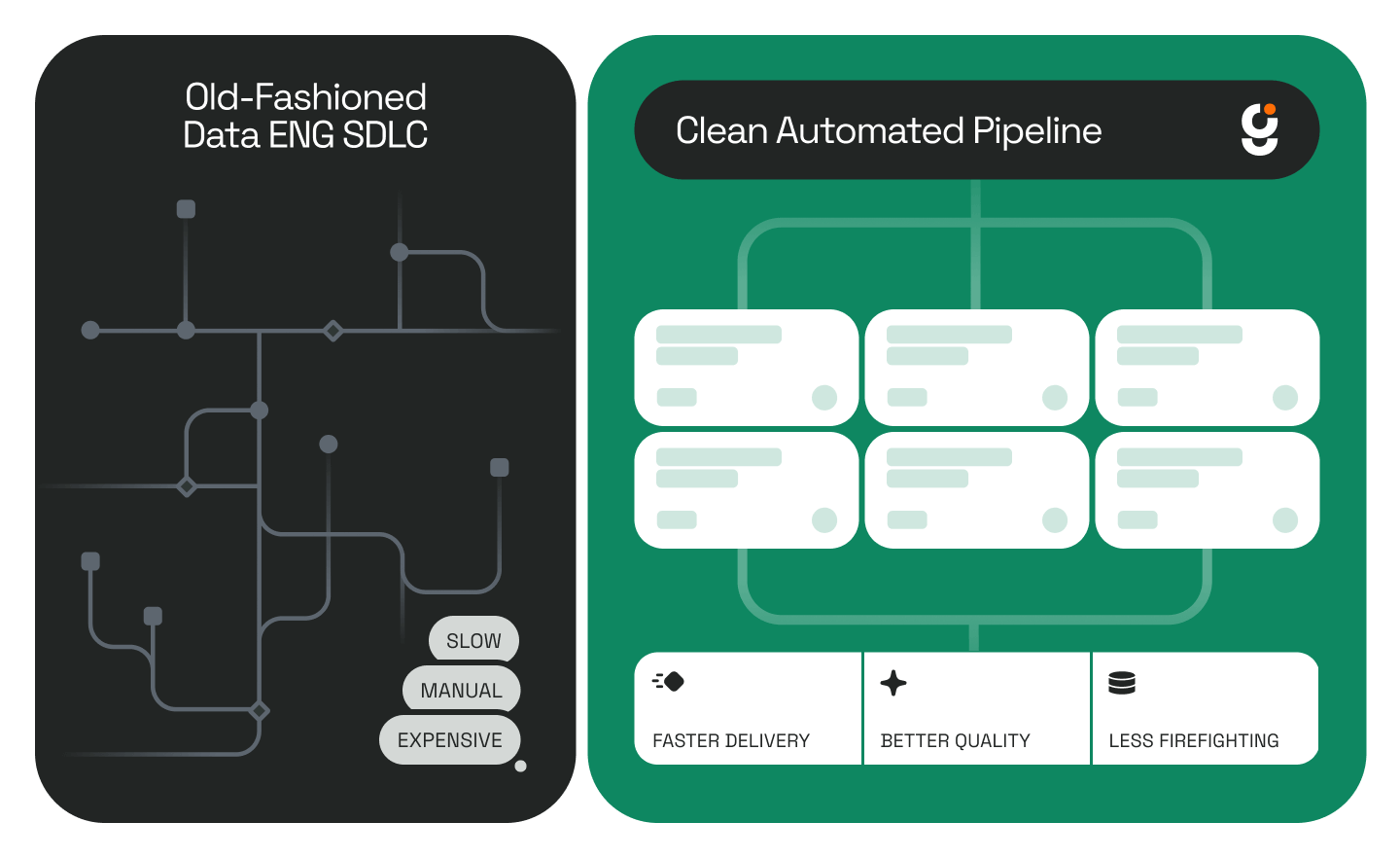
Without structure, you get speed without reliability. With it, you get a system that behaves like a mid-level engineer — cautious, methodical, aware of what it doesn't know.
That's the goal. Not to replace data teams, but to encode their judgment so every run, every agent, and every project gets a little smarter.
To see how this applies in a concrete pipeline scenario, check out our walkthrough on how Genesis automates data pipeline development in hours.
What is a Blueprint in the context of Genesis data agents? A Blueprint is a structured methodology that tells a data agent how to move through a multi-stage task, step by step, in the same sequence an experienced engineer would follow. It defines what information to gather, which tools to use, when to pause for human input, and what to do with the answers. It's not a prompt template; it's closer to a documented process playbook, except it runs inside an agent's reasoning loop.
How is a Blueprint different from a standard prompt or script? A script executes in a fixed sequence without adapting. A prompt gives the model general direction but no procedural guardrails. A Blueprint is structured enough to enforce order of operations and checkpoints, but flexible enough to branch based on what the agent discovers along the way, including stopping entirely until a human responds.
Can a Blueprint be customized for a specific company's workflow? Yes, and that's one of the core design goals. Blueprints ship with sensible defaults, but as a team runs them and adds their own context — edge cases, naming conventions, preferred data sources — the Blueprint forks into a company-specific version. That version lives in Git as the team's own intellectual property.
What kinds of tasks do Blueprints cover? Genesis ships Blueprints for common data engineering processes: field mapping, pipeline builds, failure analysis, QA, and more. The Field Mapping Blueprint described in this post handles the full cycle from ambiguous request to validated code generation in dbt, Snowpark, or Databricks.
What happens when an agent using a Blueprint encounters something it doesn't know? The Blueprint has built-in pause points. Rather than guessing, the agent generates targeted questions for the right audience — business users for definitional clarity, data owners for source-of-truth decisions — and waits for answers before continuing. This prevents the most common failure mode: confident code built on wrong assumptions.
How do Blueprints relate to Context Management and Progressive Tool Use? Blueprints define the process structure. Context Management ensures the agent keeps only relevant information in working memory as it executes that structure over long runs. Progressive Tool Use controls which tools are active at each stage so the agent isn't overwhelmed by unnecessary options. All three work together.
Is this approach specific to Snowflake or Databricks environments? No. While the examples in this post reference Snowflake and Databricks (common enterprise stacks), the Blueprint approach is platform-agnostic. Genesis integrates with a wide range of data warehouses and transformation tools. See our deployments page for the full list.
This is Part 1 of a three-part series. Continue reading: Part 2: Context Management: The Hardest Problem in Long-Running Agents and Part 3: Progressive Tool Use.
.jpg)
.jpg)
.jpg)
.jpg)


.jpg)
.jpg)
.jpg)

.jpeg)
.png)
.png)
.png)
.png)
.png)
.jpeg)
.jpeg)
.jpg)
%2520(1).png)
.jpg)

.jpeg)
%25201%2520(1).jpeg)

%25201%2520(1).jpeg)
.png)
.jpeg)
.png)
.png)
.png)
.avif)




![Agent Server [1/3]: Where Enterprise AI Agents Live, Work, and Scale](https://cdn.prod.website-files.com/67bef0c56c3781a827a0f375/69c14b6f967d2ae5279adcea_690e4d0f068d3ec27aea7ae0_123%2520(1).png)
![Agent Server [2/3]: Where Should Your Agent Server Run?](https://cdn.prod.website-files.com/67bef0c56c3781a827a0f375/69c14b6f967d2ae5279adcf0_690e646b6e0366d090fbc37f_wdxczxgr-1.png)
![Agent Server [3/3]: Agent Access Control Explained: RBAC, Caller Limits, and Safer A2A](https://cdn.prod.website-files.com/67bef0c56c3781a827a0f375/69c14b56c87a1735a82bac8d_69132a45740300abc320bc7f_Cover_%2520RBAC%2520for%2520Agents%252C%2520Done%2520Right2%2520(1).png)


.png)
