.jpg)
.jpg)
.jpg)


.jpg)
.jpg)
.jpg)
.jpeg)
.png)
.png)
.png)
.png)
.png)
.jpeg)
.jpeg)
.jpeg)
%2520(1).png)


.avif)


.png)
.png)




.png)
![Agent Server [1/3]: Where Enterprise AI Agents Live, Work, and Scale](https://cdn.prod.website-files.com/67bef0c56c3781a827a0f375/69c14b6f967d2ae5279adcea_690e4d0f068d3ec27aea7ae0_123%2520(1).png)
![Agent Server [2/3]: Where Should Your Agent Server Run?](https://cdn.prod.website-files.com/67bef0c56c3781a827a0f375/69c14b6f967d2ae5279adcf0_690e646b6e0366d090fbc37f_wdxczxgr-1.png)
![Agent Server [3/3]: Agent Access Control Explained: RBAC, Caller Limits, and Safer A2A](https://cdn.prod.website-files.com/67bef0c56c3781a827a0f375/69c14b56c87a1735a82bac8d_69132a45740300abc320bc7f_Cover_%2520RBAC%2520for%2520Agents%252C%2520Done%2520Right2%2520(1).png)
.png)
.jpeg)
.png)

%25201%2520(1).jpeg)

%25201%2520(1).jpeg)
.jpeg)
.jpeg)
August 20, 2026
Coolest Vendor Innovations in Data Management
.png)

.jpg)
This walkthrough documents how Genesis Data Agents automate synthetic data generation inside Databricks; replicating a production schema into a dev environment, generating realistic test data with enforced foreign-key relationships, and delivering a fully documented, test-ready database in 34 minutes of autonomous execution. Zero human interaction was required after the initial mission kickoff.
For data engineering teams working at scale, one of the most persistent and underestimated challenges is maintaining reliable dev and test environments. Replicating a production environment accurately without copying sensitive production data requires significant manual effort, specialist knowledge, and time that most teams simply don't have.
The Genesis team, with decades of data engineering experience across some of the world's largest organizations, built their Agentix solution specifically to solve this problem. The core requirement: replicate any production environment's schema and structure into a dev environment and populate it with synthetic data that behaves like real data, without the security risk of using actual production records.
According to IDC research, data engineering teams at mid-market and enterprise SaaS companies spend 60–70% of their time on pipeline maintenance and environment setup rather than new development (IDC, 2024). The time cost of manually building dev environments is one of the largest contributors to that figure.
Synthetic data generation is the process of creating artificial data that mirrors the structure, statistical properties, and relational integrity of a real dataset without containing any actual records from that dataset. For Databricks and Snowflake data engineering teams, synthetic data enables development and testing in environments that accurately reflect production without creating compliance or security exposure.
This is distinct from anonymization or masking: synthetic data is entirely fabricated, not derived from real records. The challenge, and the reason it has historically required skilled human effort, lies in generating data that enforces the same referential integrity, foreign-key relationships, and data distributions present in the real system. Without this, test results are unreliable and the code built against that data will fail in production.
A 2025 survey by Databricks found that 78% of data teams were actively evaluating AI agents for automation tasks, and synthetic data generation was among the top three use cases cited.
Genesis addresses the dev environment automation challenge through its Agentix solution, which runs natively inside Databricks and uses a blueprint-driven mission architecture to autonomously complete complex data engineering tasks. The synthetic data generation blueprint is one of a library of pre-built mission templates that engineers can launch with a single set of natural-language instructions.
Genesis agents operate entirely within the user's existing Databricks environment. There is no new cloud infrastructure to provision, no parallel system to maintain, and no additional vendor security review required. The agent has access to the same data and pipelines already present in the warehouse and operates within the same security perimeter.
As one member of the Genesis team described: "Genesis sits in the Databricks ecosystem and has access to everything within Databricks. It is not at risk of anything broader than what is already the case for Databricks as a cloud data platform."
The mission is initiated with a single natural-language instruction. Genesis handles the rest autonomously. The full workflow proceeds as follows:
Total elapsed time from kickoff to completion: 34 minutes. Human interactions required after kickoff: zero.
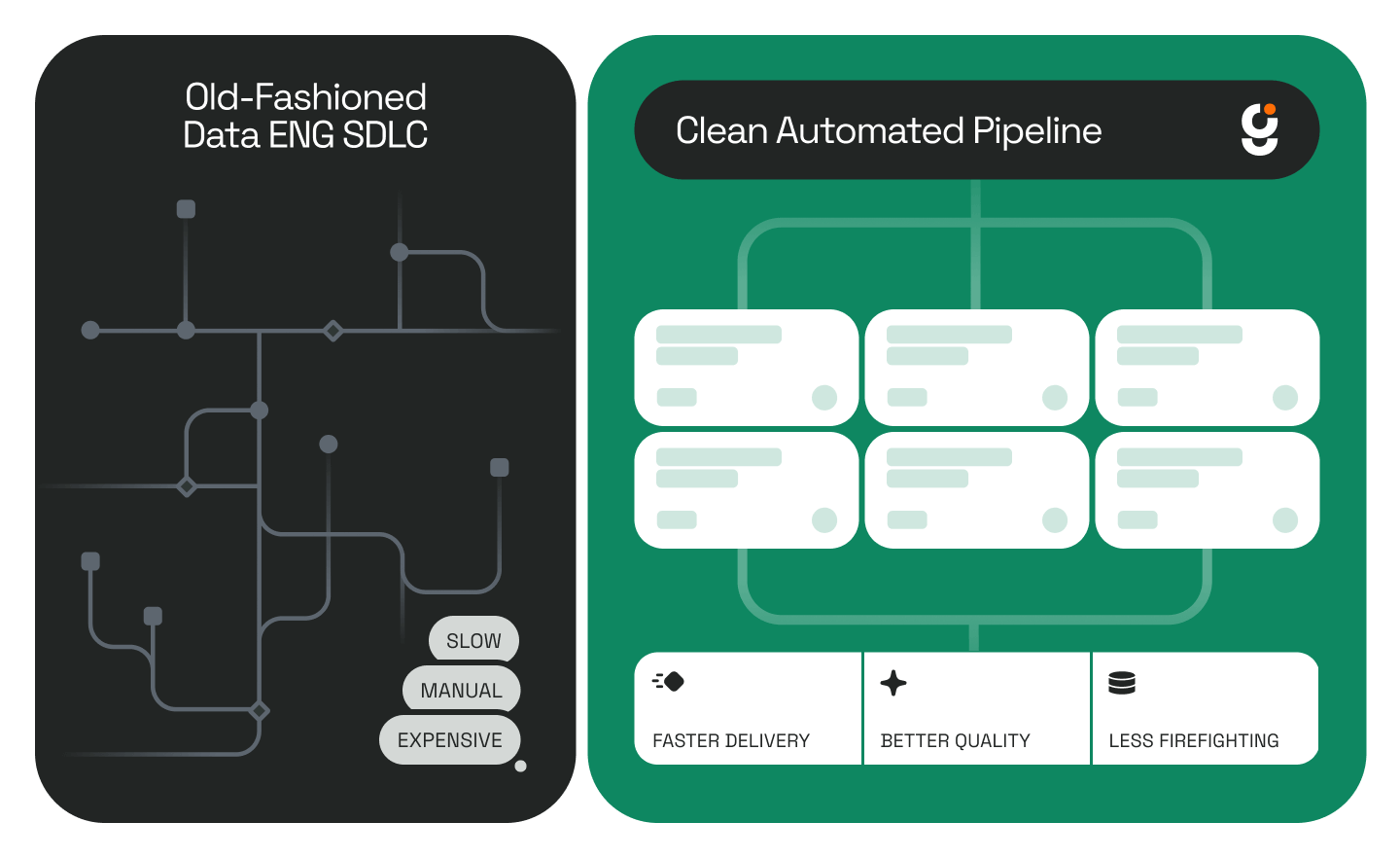
Before deploying Genesis, building a reliable dev environment with accurate synthetic test data required manually coordinating schema replication, data generation scripts, and integrity validation, implying a multi-day effort typically involving multiple specialist roles.
With Genesis, the same outcome is delivered in under an hour.
The agent's session replay feature also addresses a common challenge in agentic data workflows: visibility. Engineers can watch a 4x-speed playback of everything the agent did during unattended execution: reviewing each script created, each API call made, and each decision taken — before committing the output to development.
One of the consistent concerns about AI data engineering automation is trust: how does a team verify that an autonomous agent did exactly what was intended? Genesis addresses this through a multi-layer transparency model built into every mission.
During execution, engineers can:
After execution, engineers can:
This level of audit detail is not available in traditional manual workflows. In a manual data pipeline workflow, decisions are often undocumented and the work product is the only artifact. With Genesis, the decision-making process itself is recorded and reviewable.
Industry benchmarks suggest that typical manual ETL pipeline creation and environment setup takes 2–4 weeks per engagement (Fivetran, 2025). Genesis completed schema replication, synthetic data generation, integrity validation, and full documentation in 34 minutes— a reduction of multiple engineering days to under an hour.
The average fully loaded cost of a US-based senior data engineer reached $165,000–$225,000 in 2025 (Levels.fyi, 2025). Every hour of manual dev environment setup eliminated by data engineering automation is a direct reclamation of that investment, that can be redirected to new development, AI work, or product delivery.
For teams using Databricks extensively, the compounding effect is significant: each new project or customer onboarding that previously required days of manual environment preparation now requires a single natural-language instruction and minutes of autonomous execution.
The synthetic data generation use case illustrates a broader shift in how data engineering teams can operate. The bottleneck in most data engineering workflows is not the skill of the engineers, it’s the time cost of repetitive, structured, low-judgment tasks: schema replication, boilerplate script generation, integrity validation, and documentation.
These are exactly the tasks that AI data agents like Genesis are built to handle. According to Gartner, AI-augmented data integration tools are growing at 22% CAGR through 2027 (Gartner, 2025) and the teams moving fastest are those that eliminate the distinction between 'tasks humans must do' and 'tasks that simply require human oversight.' The shift is already underway across the enterprise data stack.
Genesis enables that shift for Databricks and Snowflake environments: the engineer sets the direction; the agent does the work; the audit trail makes every output verifiable. That is what data engineering automation looks like at the production level.
To see Genesis running on related agentic data workflows, including Genesis and Snoflake API integration and the evolution of data work, see the linked posts.
How does Genesis generate synthetic data in Databricks?
Genesis Data Agents deploy natively inside Databricks and use a blueprint-driven mission architecture to autonomously replicate a source schema, generate SQL scripts for each table, populate those tables with synthetic records, enforce foreign-key and referential integrity relationships, and validate the output. This is all done from a single natural-language instruction, without the need for manual scripting.
Is the synthetic data safe to use in a dev environment?
Yes. Genesis replicates only the schema, not the production data, and generates entirely new synthetic records that match the structure and relationships of the original. No actual production data is copied into the dev environment. This approach meets the security standard required for development and test environments at enterprise scale.
How long does it take to generate a complete synthetic dataset in Databricks?
In the documented walkthrough, Genesis completed schema replication, synthetic data generation across all dimension tables, referential integrity validation, and full documentation in 34 minutes of autonomous execution with no human interaction after the initial mission kickoff.
Can AI replace data engineers for environment setup tasks?
Genesis is not designed to replace data engineers; it is designed to eliminate the repetitive, low-judgment tasks that consume engineering time without producing new value. Schema replication, synthetic data generation, and integrity validation are all tasks where the logic is well-defined and the output is verifiable. Automating them frees engineers to focus on architecture, product development, and AI work that requires genuine expertise.
Genesis Data Agents are available for enterprise deployment on Snowflake, Databricks, AWS, Azure, and Docker. To evaluate Genesis for your data engineering team, schedule a demo at genesiscomputing.com/book-a-demo.
.jpg)
.jpg)


.jpg)