Root Cause Analysis

Find the Cause.
Restore the Flow.

Genesis agents investigate pipeline failures and data issues, trace their causes across connected systems, and help resolve them within your team’s permissions and controls.

Use case

Root Cause Analysis

Problem

The Failure Is Visible but the Cause Isn’t

A broken pipeline may start with an upstream schema change, unexpected source data, or a failed dependency. Finding the cause means piecing together logs, code, data, and recent changes across systems while downstream work waits.
Solution

Connect the Evidence and Resolve the Issue

Genesis agents use the Context Graph to trace dependencies, investigate affected systems, and identify the underlying cause. They explain the impact and carry out corrections within your defined approval process.

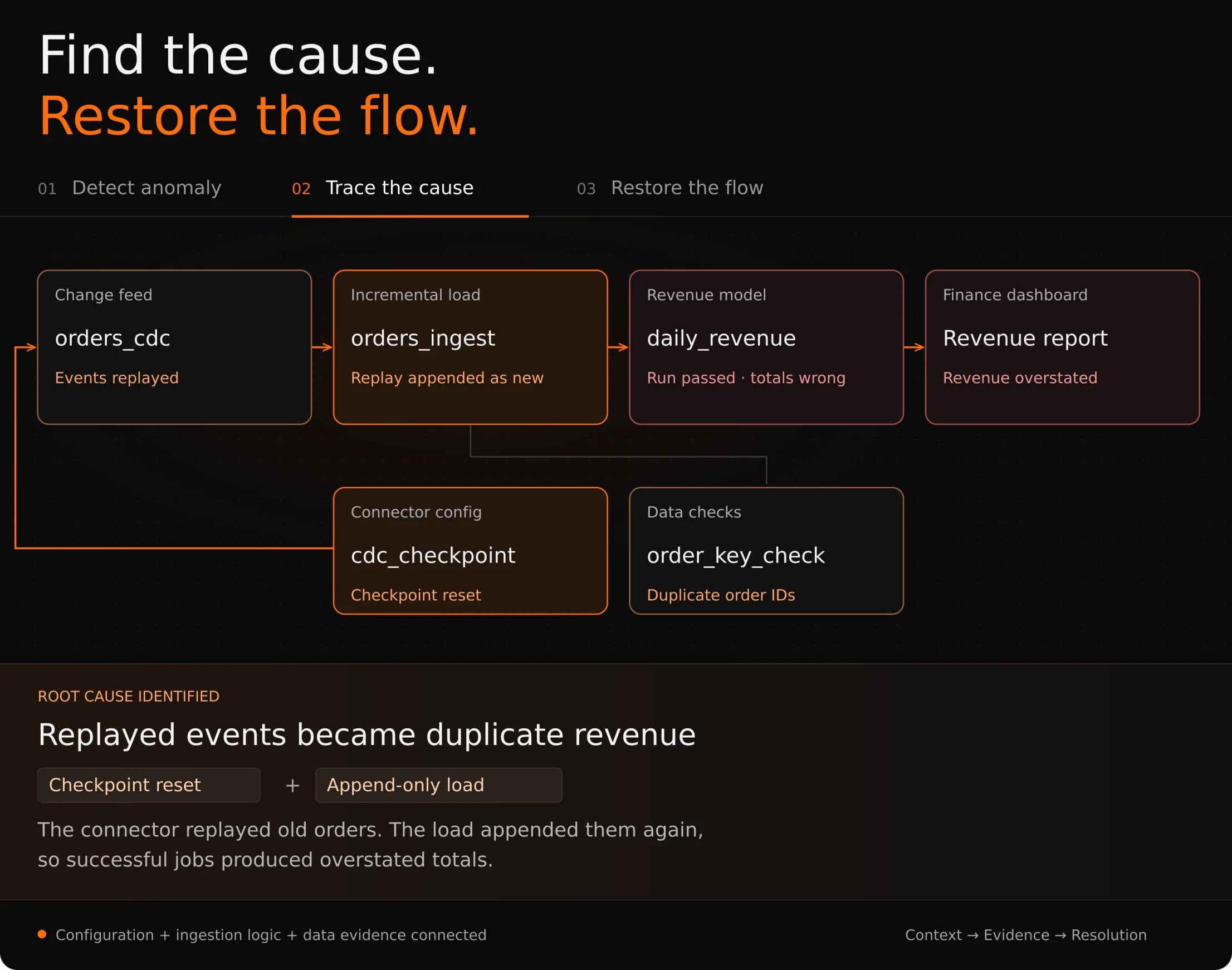
Root cause investigation: a reset connector checkpoint replays order events. An append-only load duplicates the orders, causing a successful revenue model to overstate dashboard totals. Duplicate order checks help identify the cause.
Illustrative investigation: trace overstated revenue through the model and ingestion pipeline to a checkpoint reset and replayed order events.
Genesis + Prover

From Issue to Resolution

Restore data operations with evidence behind the fix. Genesis agents investigate and correct issues, while Prover independently checks the corrected results against defined requirements so your team can review and approve the outcome.

01 · INVESTIGATE

Gather the Evidence

Examine logs, data, code, and recent changes to understand what failed.

02 · TRACE THE CAUSE

Follow the Dependencies

Follow dependencies across systems to distinguish the underlying cause from downstream symptoms.

03 · RESOLVE & REVIEW

Correct with Control

Apply approved corrections, have Prover check the results, and document the findings for your team.